







 简体中文
简体中文 English
搜索结果建议
快速链接
FAQ
Q:What receivers are RC6GS V3/RC4GS V3 compatible with?
Q:What receivers are RC6GS V3/RC4GS V3 compatible with?
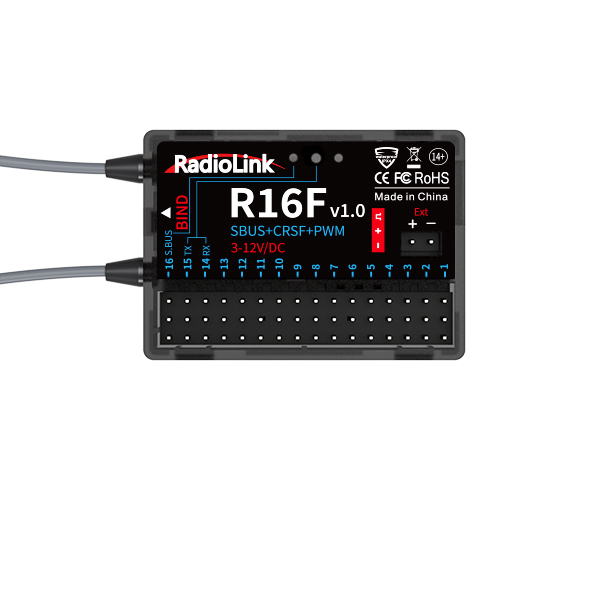
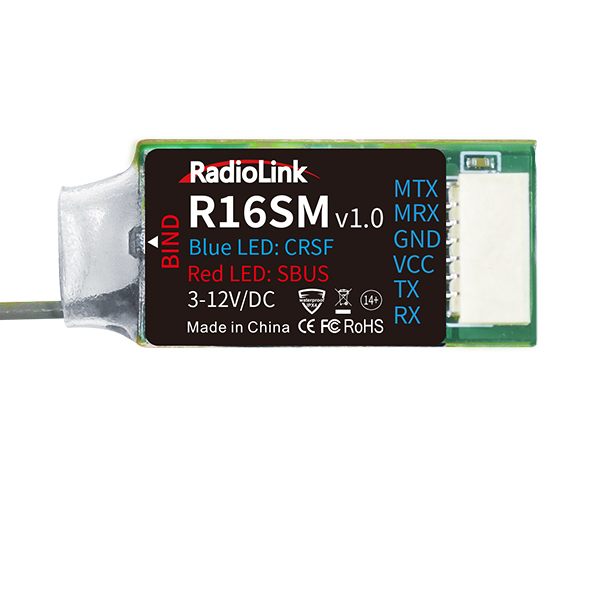
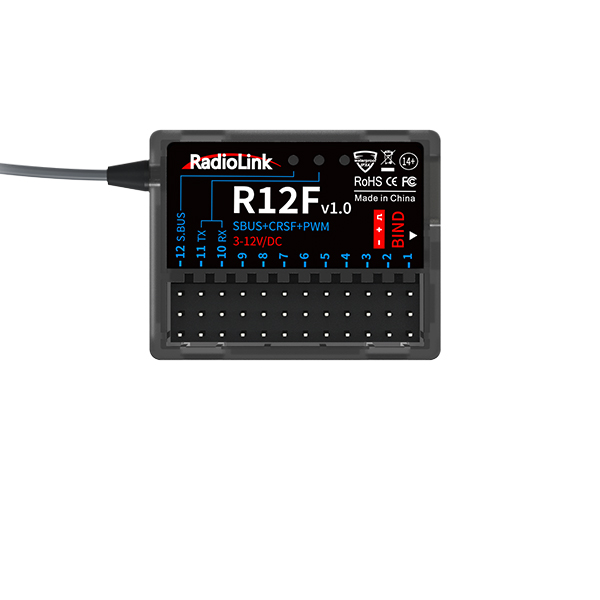
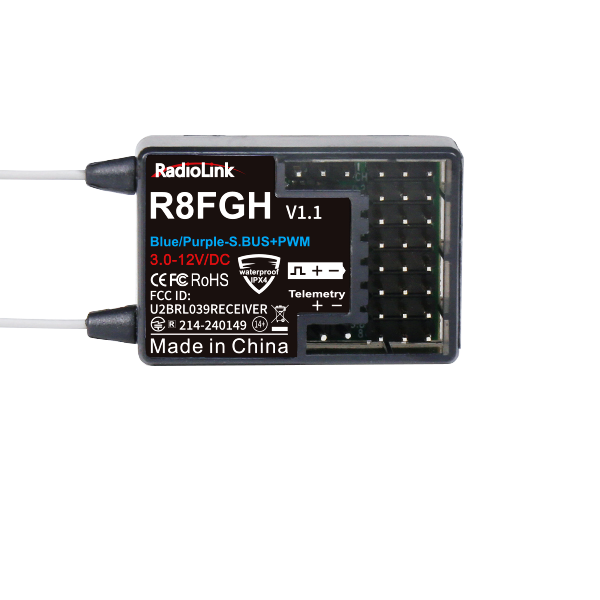
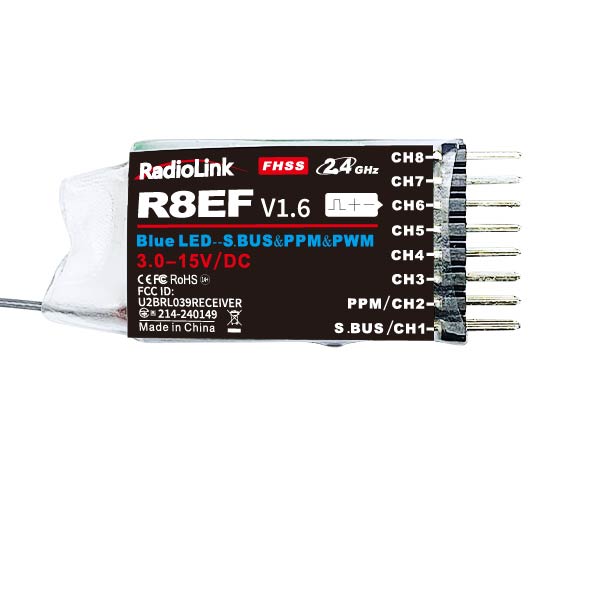
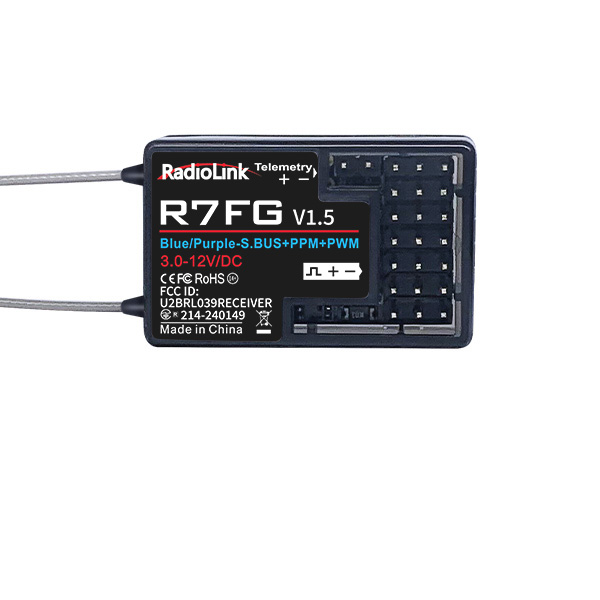
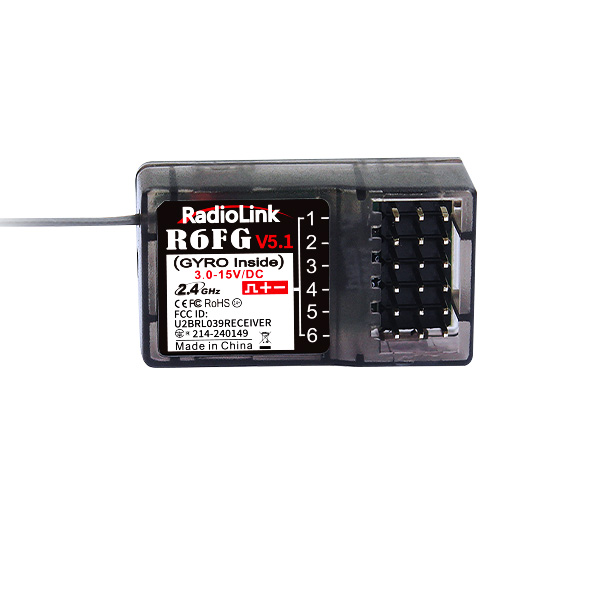
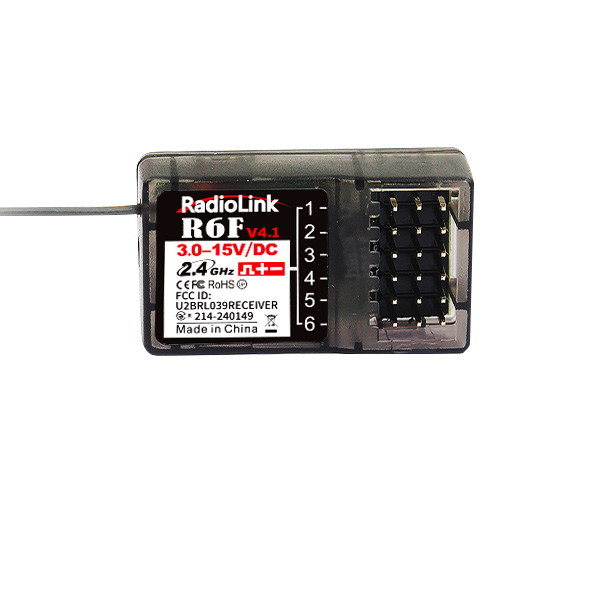
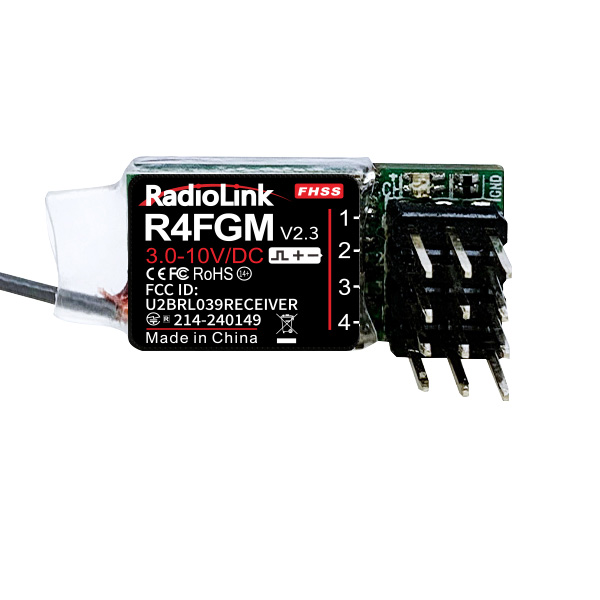
A:R6FG(Standard)/R16F/R12F/R8FGH/R8FG/R8F/R8EF/R7FG/R6F/R4FGM/R4F.
Q:What is the control distance of RC4GS V3?
Q:What is the control distance of RC4GS V3?
A:400 meters on the ground when R6FG receiver is used. 600 meters on the ground when R8FG/R8FGH/R8F/R7FG receiver is used.
Q: How to update the firmware of RC6GS V3/RC4GS V3?
Q: How to update the firmware of RC6GS V3/RC4GS V3?
A:Please follow the tutorial:
https://www.youtube.com/watch?v=XLyTnSlou-4
Q:Can I assign a switch to control D/R on RC6GS V3/RC4GS V3?
Q:Can I assign a switch to control D/R on RC6GS V3/RC4GS V3?
A:Yes. Please follow the tutorial:https://www.youtube.com/watch?v=CjvbySByvvw
Q:How to connect RC4GS V3 to FPV?
Q:How to connect RC4GS V3 to FPV?
A:Video tutorial:
https://www.youtube.com/watch?v=FP5nGmbiL6g
Q:The transmitter cannot be recognized by computer when updating the firmware.
Q:The transmitter cannot be recognized by computer when updating the firmware.
A:1. Change another USB cable and computer system to have a try. Use different laptops or desktops to have a try. (Please note that mac computer system is not supported for firmware update)
2. Please make sure the USB cable with data transmission function. Because some USB cables are only for charging power.
3. Please also note when upgrading the firmware, if the computer doesn't pop out the format window automatically, you can go to MY PC and check if there is any removable disc. If there is a removable disc, right click it and then click format. It means you need to format the disc manually.
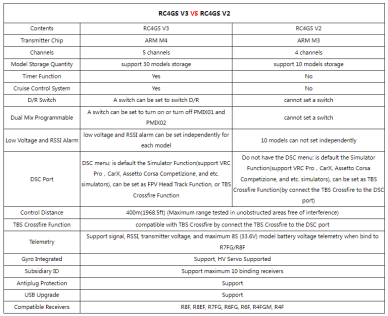
Q:What is the difference of RC4GS V3 and RC4GS V2?
Q:What is the difference of RC4GS V3 and RC4GS V2?
A:
Q:What is LK-A or LK-D?
Q:What is LK-A or LK-D?
A:LK-A is the lock mode of SwA. When the channel is set to LK-A as the control switch,after pressing SwA, the output of the channel will jump to the maximum value (or minimum value), and will not return to the initial value when the switch is released. (For example, after pressing SwA, the channel outputs +100, and after releasing the switch, the +100 will remain unchanged. After pressing SwA again, the channel will output -100 , and the rudder will remain unchanged after releasing it).
LK-A, LK-B, LK-C, LK-D are corresponding to the lock mode of SWA, SWB, SWC, SWD switches. Press it to one dual rate value, and press it again to another dual rate value.
Video tutorial:
https://www.youtube.com/watch?v=PicDCwbseXU
Q:Why the screen of RC4GS V3 is blank or upside down after updating the firmware?
Q:Why the screen of RC4GS V3 is blank or upside down after updating the firmware?
A:The problem may be caused by wrong firmware or wrong update steps.
The link to download the firmware of RC4GS V3:
https://www.radiolink.com.cn/rc4gsv3_firmware
Video tutorial on how to update the firmware:
https://www.youtube.com/watch?v=XLyTnSlou-4
If the problem still exists, please refer to the following troubleshooting for screen problem:
https://www.radiolink.com/newsinfo/561213.html
Q:Why doesn’t the gyro work well?
Q:Why doesn’t the gyro work well?
A:
1.Make sure the gyro phase is correct.
When the gyro forward is enabled, try to turn the model car to check if the gyro is correcting the wheels. Normally, the wheels should turn right to correct when the car is turned left while the wheels should turn left to correct when the car is turned right. If the gyro phase is reversed, short press the binding button (ID SET) twice in 1 second in mode 3 and mode 4. The indicator flashes once means the gyro phase setting is complete.
2.Adjust the gyro sensitivity
Gyro sensitivity setting is Channel 3 by default (factory setting) and can be adjusted by the VR rotary switch. Percentage is displayed when sensitivity is adjusted while the bigger percentage means higher sensitivity. If the VR rotary switch/Channel 3 is set with other function, MODE can be changed to STD in GYRO setting of the menu to adjust gyro sensitivity with buttons Dec(-) and Inc(-).
Q:When the throttle is in center position, the motor is running at half speed, and there is no reverse, why?
Q:When the throttle is in center position, the motor is running at half speed, and there is no reverse, why?
A:If you use RC4GS V3 with unidirectional ESC, it will be 50% throttle when trigger is in the center, and there will be no reverse. So please make sure it is two-way ESC.
Q:Why RC4GS V3 cannot control the LED light? The LED light keeps on, and cannot be turned off.
Q:Why RC4GS V3 cannot control the LED light? The LED light keeps on, and cannot be turned off.
A:Make sure there is control board of your LED light. Otherwise, the light will be always on.
Video tutorial:
https://www.youtube.com/watch?v=oEEy_HxCZWUa
Q:Why there is no servo display when turn the wheel?
Q:Why there is no servo display when turn the wheel?
A:Calibrate the wheel.
Video tutorial:
https://www.youtube.com/watch?v=UsbM9p7jx5s
Q: Can RC4GS V3 control cars/boats with metal or carbon casing?
Q: Can RC4GS V3 control cars/boats with metal or carbon casing?
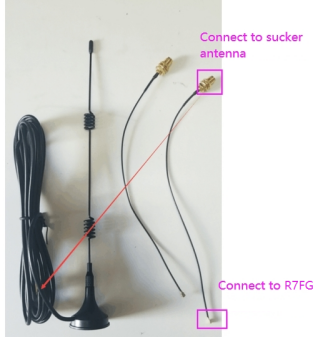
A: If RC4GS V3 controls a car/boat with a full metal casing, it is recommended to use R7FG receiver and an IPEX to SAM with a sucker antenna. The antenna needs to be drawn out, because if the receiver antenna is enclosed in a metal shell, the metal material will weaken the signal of the receiver, thereby affecting the control distance.
The antenna connector of R7FG receiver is IPEX. Make sure the sucker antenna has the IPEX connector. Please refer to the picture below:
Q: Does RC4GS V3 support Express LRS module?
Q: Does RC4GS V3 support Express LRS module?
A: No.
Q: Why do users encounter various problems when reading SBUS signals?
Q: Why do users encounter various problems when reading SBUS signals?
A:
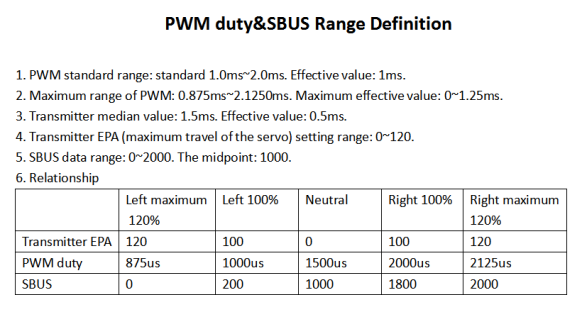
1. When the data read by the user is different from the reference data we provide, please check whether the EPA setting of each channel in the transmitter is the same. If the EPA setting for each channel is different, the read signal range will be different.
2. If the SBUS data cannot be read, please check whether the devices used are working properly and whether there is any problem with the connecting cable.
3. Our products support standard SBUS signal, which is compatible with various flight controllers. Please refer to the chart below for detailed information.
Q:The telemetry voltage displayed on the screen of the transmitter is less than voltage actually measured. Is that normal?
Q:The telemetry voltage displayed on the screen of the transmitter is less than voltage actually measured. Is that normal?
A:Make sure to test the battery voltage by multi-meter. Because the voltage tested by other voltage test equipment is not accurate. 0.1V difference between the telemetry voltage and the real voltage is normal. If the difference is more than 0.1V, calibrate the voltage of the multi-meter and check the difference again.
Q: How to adjust the power of steering and throttle?
Q: How to adjust the power of steering and throttle?
Q:
You can set THSPD/STSPD to slow down the speed of throttle and steering. Here is the tutorial of THSPD (similar to STSPD):
https://www.youtube.com/watch?v=6r8rWS79ups
You can also set the EPA or Dual Rate in RC4GS V3 to adjust the travel of steering and throttle. Here are the tutorials:
Dual Rate tutorial: https://www.youtube.com/watch?v=CjvbySByvvw
EPA tutorial: https://www.youtube.com/watch?v=IunGUACFDlo
Q:I use the transmitter to run a winch and LED lights. They cannot be turned off. Why?
Q:I use the transmitter to run a winch and LED lights. They cannot be turned off. Why?
A:Please make sure there are control boards for the winch and LED lights. If they have no control board, please contact the producer or search the control board online.
Here is a tutorial on it:
https://www.youtube.com/watch?v=oEEy_HxCZWU
Q: Does RC4GS V3 support digital servos?
Q: Does RC4GS V3 support digital servos?
A: Yes, they can work well with RC4GS V3. But the 3ms or 4ms digital servo response speed is not supported. If you need 3ms or 4ms digital servo response speed, you can use RadioLink RC8X transmitter with an R8FG or R4FGM receiver of V2.1 or above.
Q: How to set the fail safe of RC6GS V3/RC4GS V3? It stays on 0 and cannot be adjusted.
Q: How to set the fail safe of RC6GS V3/RC4GS V3? It stays on 0 and cannot be adjusted.
A: The fail safe value of RC6GS V3/RC4GS V3 is not adjusted through Dec(+) or Dec(-) buttons, but is set by flipping the switch of the channel. For example: If you need to set the fail safe value of the throttle channel, please first select TH on F/S menu, and then push or pull the throttle trigger. The fail safe value will change accordingly. Press the Enter button, and the fail safe value will be saved.
Q:How to connect RC4GS V3 to Crossfire module?
Q:How to connect RC4GS V3 to Crossfire module?
A:Please follow the below video tutorial:
https://www.youtube.com/watch?v=6vt5QexQSQs
Q: Can I connect ELRS module to RC6GS V3/RC4GS V3?
Q: Can I connect ELRS module to RC6GS V3/RC4GS V3?
A: No. The DSC port of RC6GS V3/RC4GS V3 does not support CRSF signal, so they do not support ELRS module. But you can connect TBS Crossfire to RC6GS V3/RC4GS V3. Here is the tutorial to show how to connect TBS Crossfire to RC6GS V3/RC4GS V3:
https://www.youtube.com/watch?v=6vt5QexQSQs
Q: How to play simulator on RC6GS V3/RC4GS V3?
Q: How to play simulator on RC6GS V3/RC4GS V3?
A: You can use a dongle to connect RC6GS V3/RC4GS V3 to the computer to play simulator.
Here is arelated tutorial: https://www.bilibili.com/video/BV1hr4y1G7cE
If you don’t have any dongle, you can use the built-in simulator function. Here is a related tutorial: https://www.youtube.com/watch?v=1Gh5ZhDTZ5o
Q: Can I charge the batteries from the USB port of the transmitter?
Q: Can I charge the batteries from the USB port of the transmitter?
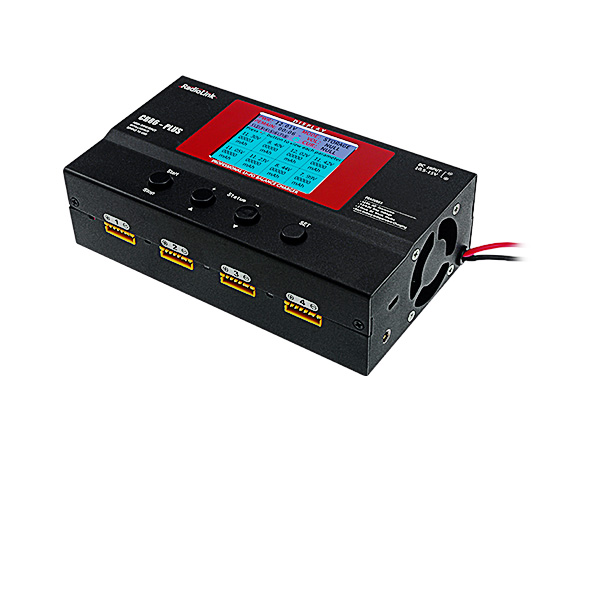
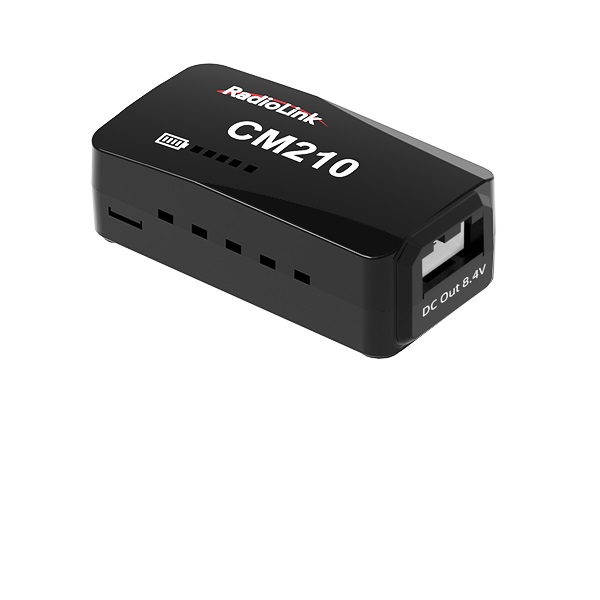
A: No. The USB port is only for firmware update. It cannot be used to charge the battery. Please use the charger to charge the battery. RadioLink produces chargers for lipo batteries. Here are the links for your reference:
CB86-PLUS charger: https://www.radiolink.com/cb86plus
CM210 charger: https://www.radiolink.com/cm210
https://www.youtube.com/watch?v=6vt5QexQSQs
Q: Can I charge the batteries from the USB port of the transmitter?
Q: Can I charge the batteries from the USB port of the transmitter?
A: No. The USB port is only for firmware update. It cannot be used to charge the battery. Please use the charger to charge the battery. RadioLink produces chargers for lipo batteries. Here are the links for your reference:
CB86-PLUS charger: https://www.radiolink.com/cb86plus
CM210 charger: https://www.radiolink.com/cm210
https://www.youtube.com/watch?v=6vt5QexQSQs
Q: How to supply power to the receiver without using the ESC?
Q: How to supply power to the receiver without using the ESC?
A: Please follow this tutorial:
https://www.youtube.com/watch?v=nquuvM3hmtw
Q: How to install the receiver antenna?
Q: How to install the receiver antenna?
A: Please follow the tutorial:
https://www.youtube.com/watch?v=-e1XzRnMnhs
Q: How to set the A.B.S function on RC6GS V3/RC4GS V3?
Q: How to set the A.B.S function on RC6GS V3/RC4GS V3?
A: Please follow the tutorial:
https://www.youtube.com/watch?v=wpL9-iwvgjU
Q: How to set the Nitro and Gas RC on RC6GS V3/RC4GS V3?
Q: How to set the Nitro and Gas RC on RC6GS V3/RC4GS V3?
A: Please follow the tutorial:
https://www.youtube.com/watch?v=F8KWBaRZon4
Q: How to replace the antenna of RC6GS V3/RC4GS V3?
Q: How to replace the antenna of RC6GS V3/RC4GS V3?
A: Please follow the tutorial:
https://www.youtube.com/watch?v=KE8uM9LrW0g
Q: How to replace the steering wheel of RC8X/RC6GS V3/RC4GS V3?
Q: How to replace the steering wheel of RC8X/RC6GS V3/RC4GS V3?
A: Please follow the tutorial:
https://www.youtube.com/watch?v=QcyZAmFSE0Q
Q: What battery can be used to supply power to RC6GS V3/RC4GS V3?
Q: What battery can be used to supply power to RC6GS V3/RC4GS V3?
A: Please follow the tutorial:
https://www.youtube.com/watch?v=ppcpfiuq8b4
Q: How to set the EPA function on RC6GS V3/RC4GS V3?
Q: How to set the EPA function on RC6GS V3/RC4GS V3?
A: Please follow the tutorial:
https://www.youtube.com/watch?v=nquuvM3hmtw
Q: How to set the THSPD throttle delay function on RC6GS V3/RC4GS V3?
Q: How to set the THSPD throttle delay function on RC6GS V3/RC4GS V3?
A: Please follow the tutorial:
https://www.youtube.com/watch?v=6r8rWS79ups
Q: How to set different alarm for 30 different models on RC6GS V3/RC4GS V3?
Q: How to set different alarm for 30 different models on RC6GS V3/RC4GS V3?
A: Please follow the tutorial:
https://www.youtube.com/watch?v=NaFS6yijjVw
Q: How to set the TIMER function on RC6GS V3/RC4GS V3?
Q: How to set the TIMER function on RC6GS V3/RC4GS V3?
A: Please follow the tutorial:
https://www.youtube.com/watch?v=Zobji480tVY
Q: How to set the vehicle low voltage alarm on RC6GS V3/RC4GS V3?
Q: How to set the vehicle low voltage alarm on RC6GS V3/RC4GS V3?
A: Please follow the tutorial:
https://www.youtube.com/watch?v=PYmmEZvrqwc
Q: How to turn on/off the gyro function on RC6GS V3/RC4GS V3?
Q: How to turn on/off the gyro function on RC6GS V3/RC4GS V3?
A: Please follow the tutorial:
https://www.youtube.com/watch?v=eNoQsZ24xuo
Q: How to set the gyro function on RC6GS V3/RC4GS V3?
Q: How to set the gyro function on RC6GS V3/RC4GS V3?
A: Please follow the tutorial:
https://www.youtube.com/watch?v=expDXlA2UZU
Q: Does RC4GS V3 support head track function?
Q: Does RC4GS V3 support head track function?
A: No.
Q: How to adjust the length of RadioLink's lanyard?
Q: How to adjust the length of RadioLink's lanyard?
A: Please follow the tutorial:
https://www.youtube.com/watch?v=pQFsWOetKzA
Q: How to set the ID SEED function on RC6GS V3/RC4GS V3?
Q: How to set the ID SEED function on RC6GS V3/RC4GS V3?
A: Please follow the tutorial:
https://www.youtube.com/watch?v=dp6DriYgUhw
Q: How to set the low voltage alarm function on RC6GS V3/RC4GS V3?
Q: How to set the low voltage alarm function on RC6GS V3/RC4GS V3?
A: Please follow the tutorial:
https://www.youtube.com/watch?v=p-waKfQPAIw
Q: How to set the PROG.MIX function on RC6GS V3/RC4GS V3?
Q: How to set the PROG.MIX function on RC6GS V3/RC4GS V3?
A: Please follow the tutorial:
https://www.youtube.com/watch?v=DiTlqeD5uvA
Q: How to set the cruise control/TH-LOCK function on RC6GS V3/RC4GS V3?
Q: How to set the cruise control/TH-LOCK function on RC6GS V3/RC4GS V3?
A: Please follow the tutorial:
https://www.youtube.com/watch?v=8tq_sxiQWC0
Q: How to calibrate throttle and steering of RC4GS V3?
Q: How to calibrate throttle and steering of RC4GS V3?
A: Please follow the tutorial:
https://www.youtube.com/watch?v=iSWr44hCpmw
Q: How to bind R6FG receiver to the transmitter?
Q: How to bind R6FG receiver to the transmitter?
A: Please follow the tutorial:
https://www.youtube.com/watch?v=iTrBj7eO6F0





 简体中文
简体中文- English